
[Part 3] Production Database Migration or Modernization: A Comprehensive Planning Guide

In this third part of our multi-post guide we will discuss migration planning and post-migration validation strategy. It might even be the most important post in the series!
If you haven't read the first two parts, read them here:

5. Migration Plan and Timeline
A structured, phased approach minimizes risk and ensures that the right resources are involved. Use the phases given below as a common framework, and feel free to adapt it to your unique environment as needed.
Phase 1: Planning and Design
Develop comprehensive architecture diagrams showing data flows, define detailed input schema and schema mappings including all transformations, create a migration runbook documenting every step, identify dependencies across systems, and establish rollback criteria and procedures. Review business constraints, choose your migration strategy and tooling. Do a small POC if necessary.
This phase typically takes 2-4 weeks but can extend significantly with complex stakeholder landscapes, architectural review boards, and infrastructure constraints.
Phase 2: Environment Setup and Tooling Preparation
Provision target database infrastructure with appropriate capacity, configure migration tools and establish connectivity, set up monitoring and alerting for both source and target, ensure availability of non-production environments mirroring production, and implement security controls and access policies.
Expect 1-3 weeks, with network configuration - private links, DNS, firewall rules - often being the source of unexpected delays.
Phase 3: Dev Testing
This critical phase typically runs 2-3 months with parallel work streams:
Stream 1: Code Changes - Create or refactor your data access layer (DAL) to abstract database interactions. Rewrite application code to use the new interface and implement the DAL for your target database. This stream represents the bulk of engineering effort.
Stream 2: Integration and Batch Job Changes - Update all batch jobs, ETL processes, and data pipelines to work with the new schema and database paradigm. Surprises often emerge here as dormant edge cases surface. Often batch jobs lack test coverage. This is a perfect opportunity to fix that.
Stream 3: Data Migration Testing - Test your migration process repeatedly in dev environments. Test both initial data copy and change-data-capture (CDC). Validate forward transformations that reshape data for the new model. Iterate on performance tuning for both migration speed and target database configuration. The goal is to know how fast you could go (and what that would require), and how fast you need to go in order for the migration to be successful.
Stream 4: Reverse Sync Testing - If your strategy includes reverse sync as a safety measure (writing changes from the new database back to the old), test these reverse transformations thoroughly.
Phase 4: UAT Testing
With a UAT environment approximating production size (often 30-50% of production data), spend 1-2 months conducting comprehensive functional testing, performance testing under realistic load, capacity planning for the target database, and migration timing validation.
UAT often reveals data model artifacts that weren't present in smaller dev datasets. Test data that's obsolete or doesn't reflect current usage patterns can create misleading results, so work with real or recently sanitized production data when possible.
Phase 5: Production Dry Run
This crucial phase - often 3-4 weeks or longer - involves executing the full migration against production data without cutting over traffic. Go all the way, and run your application and batch jobs against the migrated data to validate correctness. Conduct complete integration testing with all dependent systems.
Perform extensive data validation comparing source and target. Measure impact on the source database during migration, migration speed and bottlenecks, and target database performance under production query patterns.
For high-risk migrations, consider an extended dry run where the target remains continuously in sync with the source for weeks or months while you compare API responses between systems to build confidence.
Production data often contains artifacts from old records, inconsistent data types, and edge cases that never appeared in testing. Discovering these issues in the dry run is expensive - requiring changes to propagate back through dev and UAT - but far better than finding them during the actual cutover.
Ensure to document all the steps, their timings and performance observations. Map out various edge cases (e.g. the destination or the source become unavailable for a short period of time, migration tool is interrupted, etc), test them and their impact on the process. For example, if your migration tooling or process isn't resumable, requires downtime, and fails toward the end of your downtime window, you may as well call it. Don't just test the happy path only.
Phase 6: Cutover Preparation
Based on dry run learnings, build a detailed cutover plan specifying every action down to the minute. Allocate resources ensuring the right people are available during the cutover window. Be wary of holidays and other high-risk periods. Pick the quietest time possible based on traffic patterns. Prepare user notifications for internal and external stakeholders.
Note from experience: when final cutover steps are dependent on DNS updates, it's best to rehearse that in advance. DNS updates bring the Internet down.
This phase typically requires 1-2 weeks. For complex migrations it's prudent to prepare a backup cutover window.
Phase 7: Production Migration and Cutover
When everything is properly planned, the actual cutover is often anticlimactic - a 2-day window (or even less) of executing well-rehearsed steps. Continuous communication and pre-defined escalation paths ensure the team can respond quickly to any unexpected issues.
Phase 8: Post-Migration Monitoring and Optimization
For at least a month after cutover, maintain heightened monitoring. Watch for performance degradation, data inconsistencies, unexpected errors, and capacity issues. Commonly forgotten items - like indexes needed by infrequent batch jobs or new application endpoints - often surface during this period. Continue optimization based on real production traffic patterns.
6. Validation Strategy
Data integrity is paramount. Your validation strategy should include multiple layers of verification.
Data Integrity Checks
Implement automated validation scripts that compare row counts across tables, calculate and compare checksums for data blocks, sample random records for detailed field-by-field comparison, and validate referential integrity and constraints. Run these checks repeatedly - after initial migration in Dev and UAT, during the dry run, and again after cutover.
Application Testing
Beyond data validation, verify that your application functions correctly: functional testing of all critical user journeys, performance testing to ensure response times meet SLAs, integration testing with all dependent systems, and end-to-end testing of business workflows. Automated test suites accelerate this process and provide regression protection.
Rollback Procedures and Criteria
Define clear criteria for success or rollback: What data inconsistency rate is acceptable? What level of performance degradation triggers rollback? How long can resolution take before you must roll back?
Document and rehearse rollback procedures. In a dual-write scenario, rollback might mean redirecting read traffic back to the old database. For migrations with downtime, you may need to rely on reverse sync. Without reverse sync, you would need to accept a certain loss if you go back.
From 100's of migrations that we've been involved in, we only saw a handful where a rollback was actually triggered - if all previous steps were properly followed, the rollback scenario is merely a theoretical possibility. However, if the conditions for it are not well defined, it can add very real stress during the critical cutover time window.
Monitoring and Alerting Setup
Establish comprehensive monitoring before cutover including database performance metrics, application error rates, API latency percentiles, data consistency checks, and business metrics like transaction volumes. Configure alerts with appropriate thresholds to catch issues quickly.
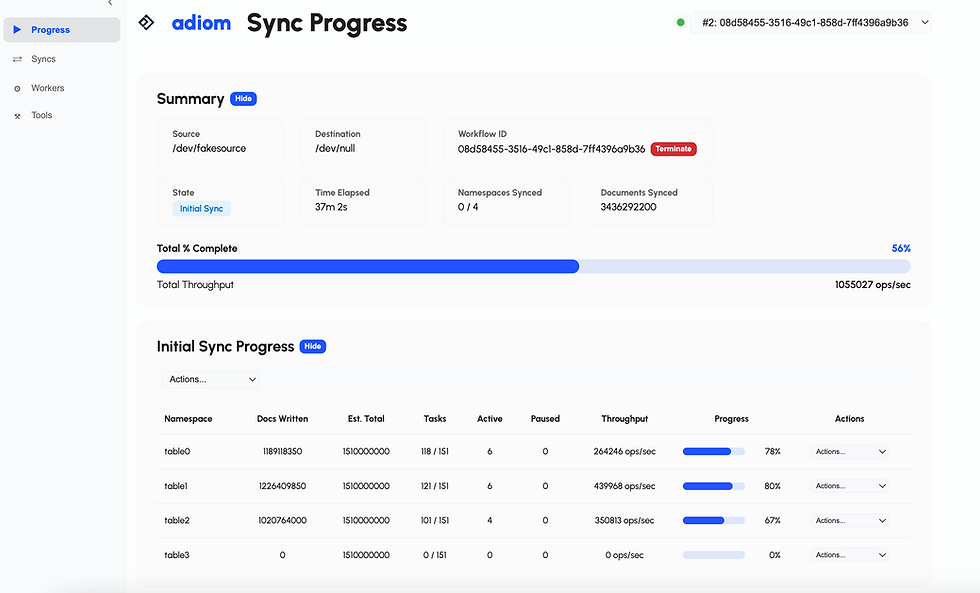
Configure monitoring for migration tooling - you should have full visibility into its progress, ETA for completion, and any errors.
In our next post in this series we will discuss common complications that affect even the best planned migrations, and migration best practices.
Contact us for help with production migrations.
Download and try Dsync for your migration here. We built it to make your migration experience seamless.

Comments