Migrate RDBMS to MongoDB
Alexander Komyagin3 min read
- mongodb
- sql
- replication
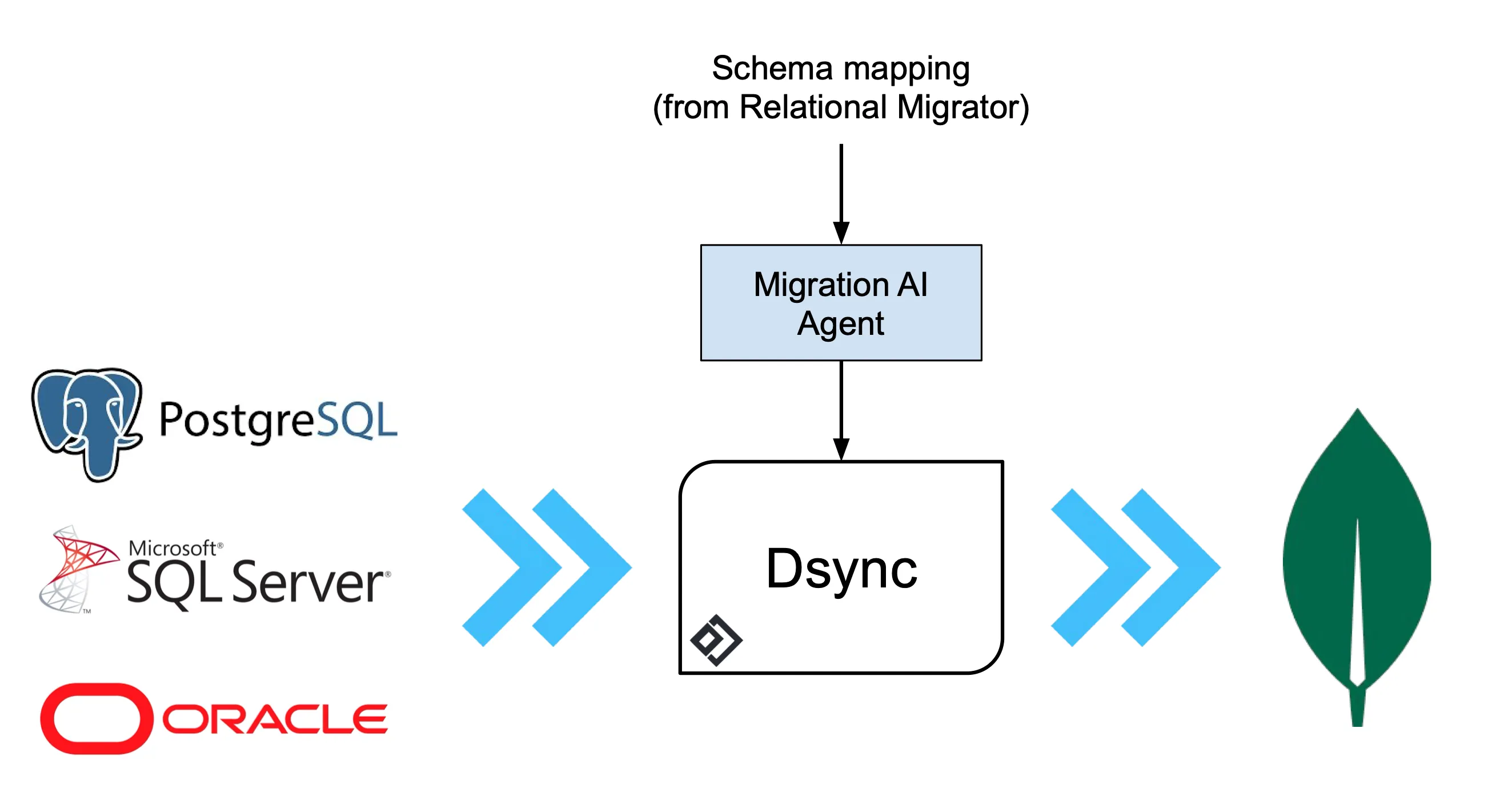
We’re excited to announce the newest addition to our connector family: the “SQL batch” connector. Dsync with the SQL batch connector makes RDBMS migration to NoSQL significantly easier, while upholding Dsync’s standards of consistency and reliability at scale. By leveraging our Migration AI agent, it streamlines data transformation and the migration process.
The SQL batch connector is now available in Private Preview. Contact us to try it out.
Dsync sets a new standard for online database migrations and real-time replication, combining scalability, reliability, ease of use, and unmatched flexibility.
Connector
The SQL batch connector lets you specify a custom SQL query on the source database, similar to creating a virtual table. This is especially useful for migrating relational data to MongoDB or other NoSQL databases, where you may need to reshape data to take advantage of the document model.
Key features:
-
Supports custom SQL queries
-
Supports JSON aggregation in modern SQL engines
-
Utilizes advanced JOIN capabilities
-
Compatible with both SQL Server and PostgreSQL as sources (including Initial Sync and CDC)
-
Seamlessly integrates with the Dsync platform and transformer
-
Offers task-based parallelization and resumability
-
Users can use MongoDB Relational Migrator for schema mapping and import it into the AI workflow.
AI-enabled database migration from SQL to MongoDB
Example: Denormalizing TPC-H Dataset
Source: PostgreSQL with 4 CPU and 34 GB RAM (AlloyDB on GCP)
Destination: MongoDB v8 Sharded Cluster
Dataset: 30GB, ~100 million rows (TPC-H dataset)
The TPC-H dataset is highly normalized, containing customer, order, part, and supplier data. For our MongoDB target schema, we denormalize the data to optimize queries for customer orders and specific parts.
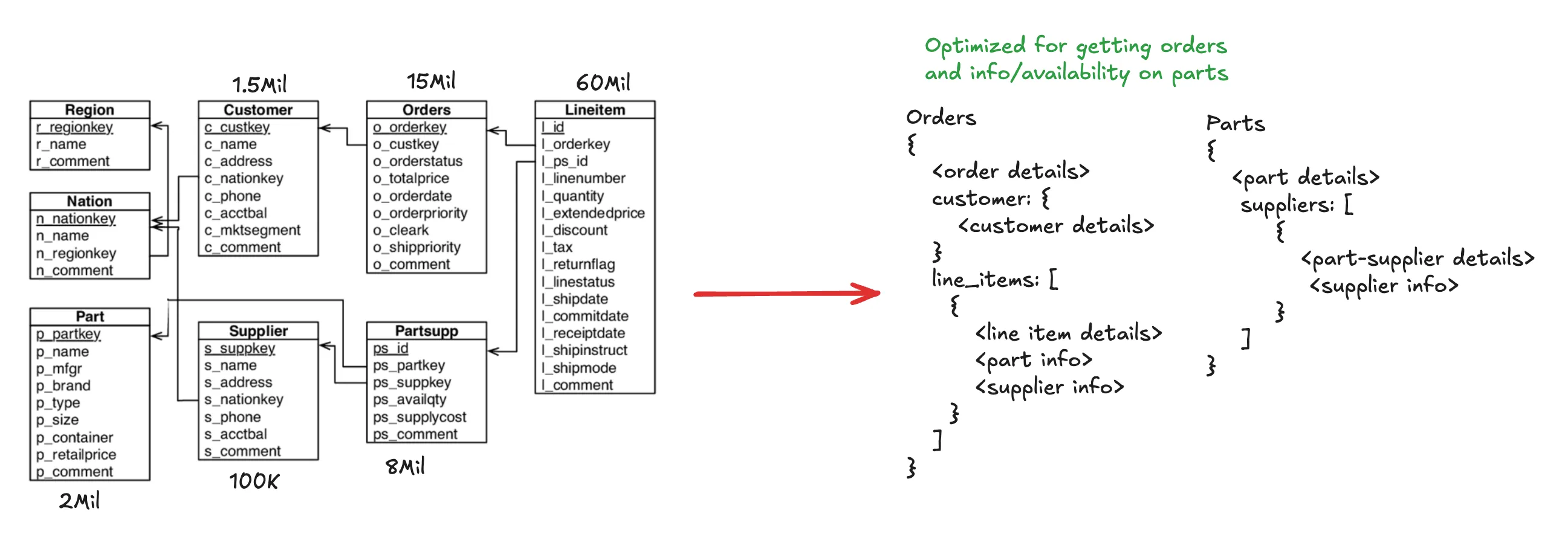
TPC-H schema mapping
- Generate schema mapping with MongoDB’s Relational Migrator.
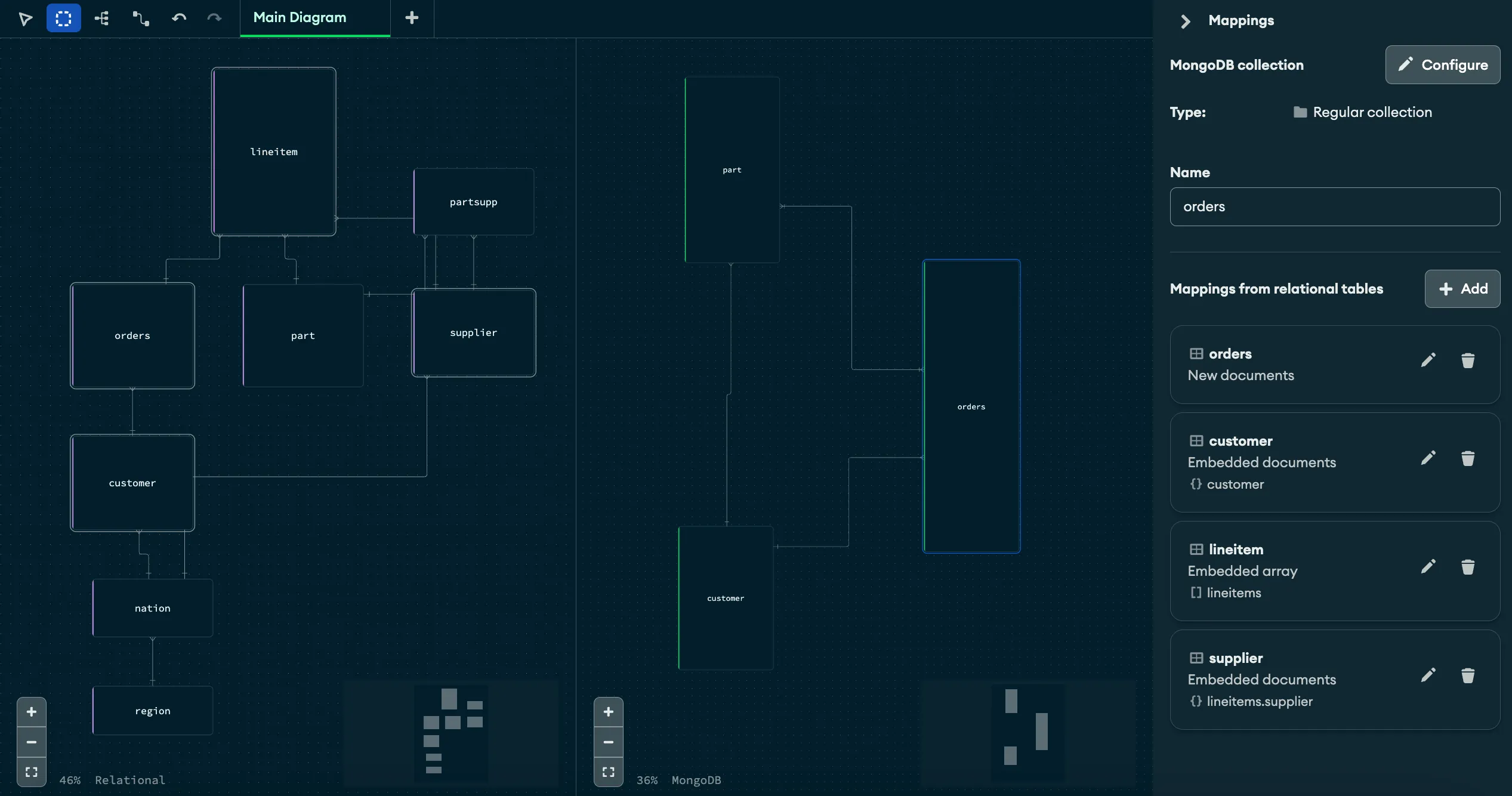
Schema mapping in MongoDB Relational Migrator
- Export the project as a .relmig file and feed it to our Migration AI Agent (based on Factory AI’s Droid - help us name it! Does Migroid sound good?).
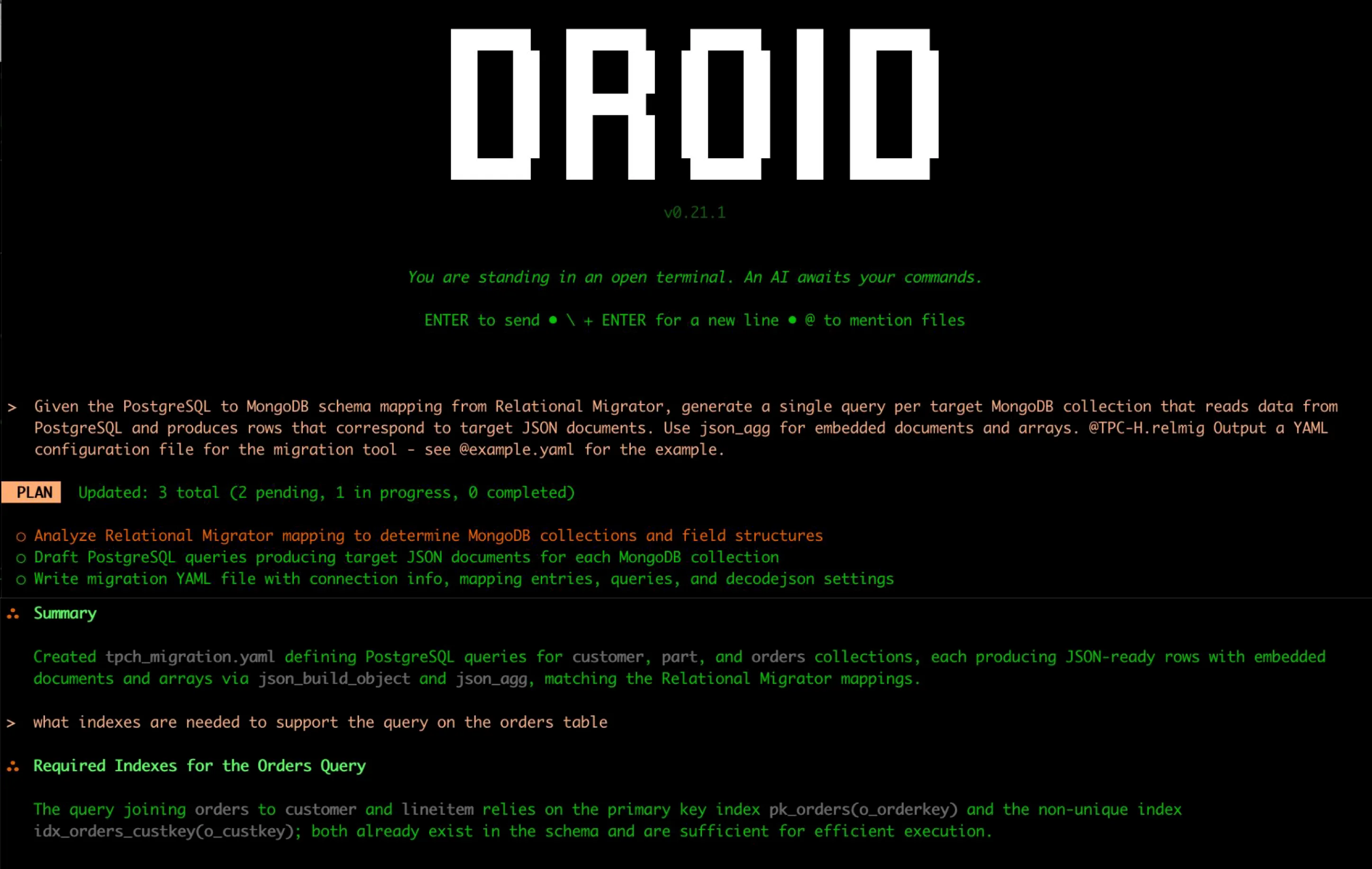
Migration AI Agent
- The AI agent generates a ready-to-use YAML config for the SQL batch connector, which you can use with Dsync (single-binary or Enterprise) or customize further:
dsync -ns "orders:tpch_dsync.orders,customer:tpch_dsync.customer,part:tpch_dsync.part" sqlbatch --config tpch_migration.yaml <MONGODB_URI> <TRANSFORMER>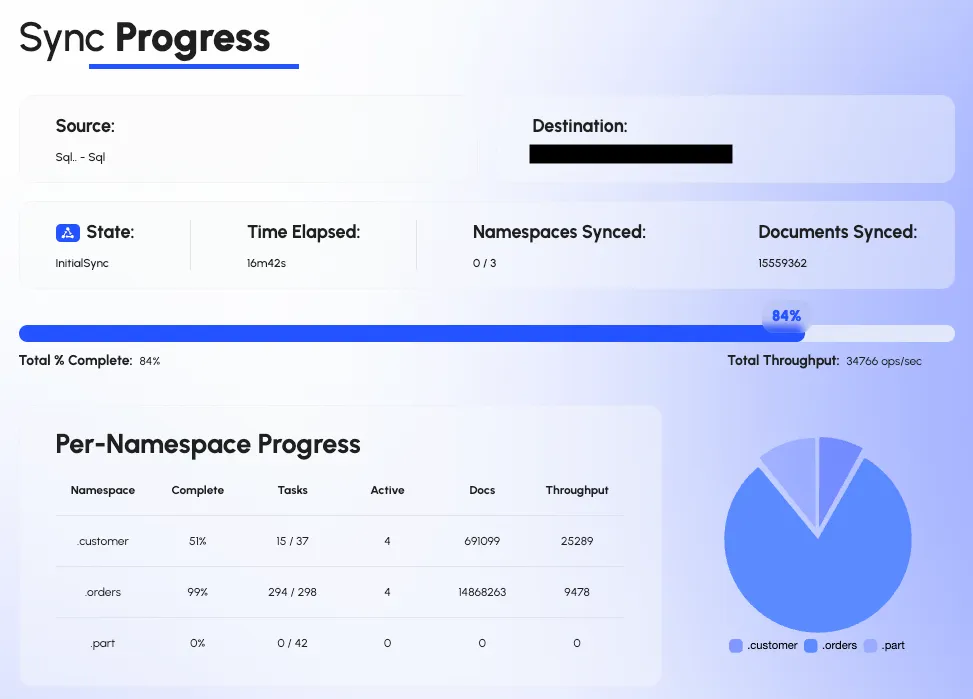
Dsync Web Progress
The migration produces the desired document structures in MongoDB. For example, here is the “orders” collection:
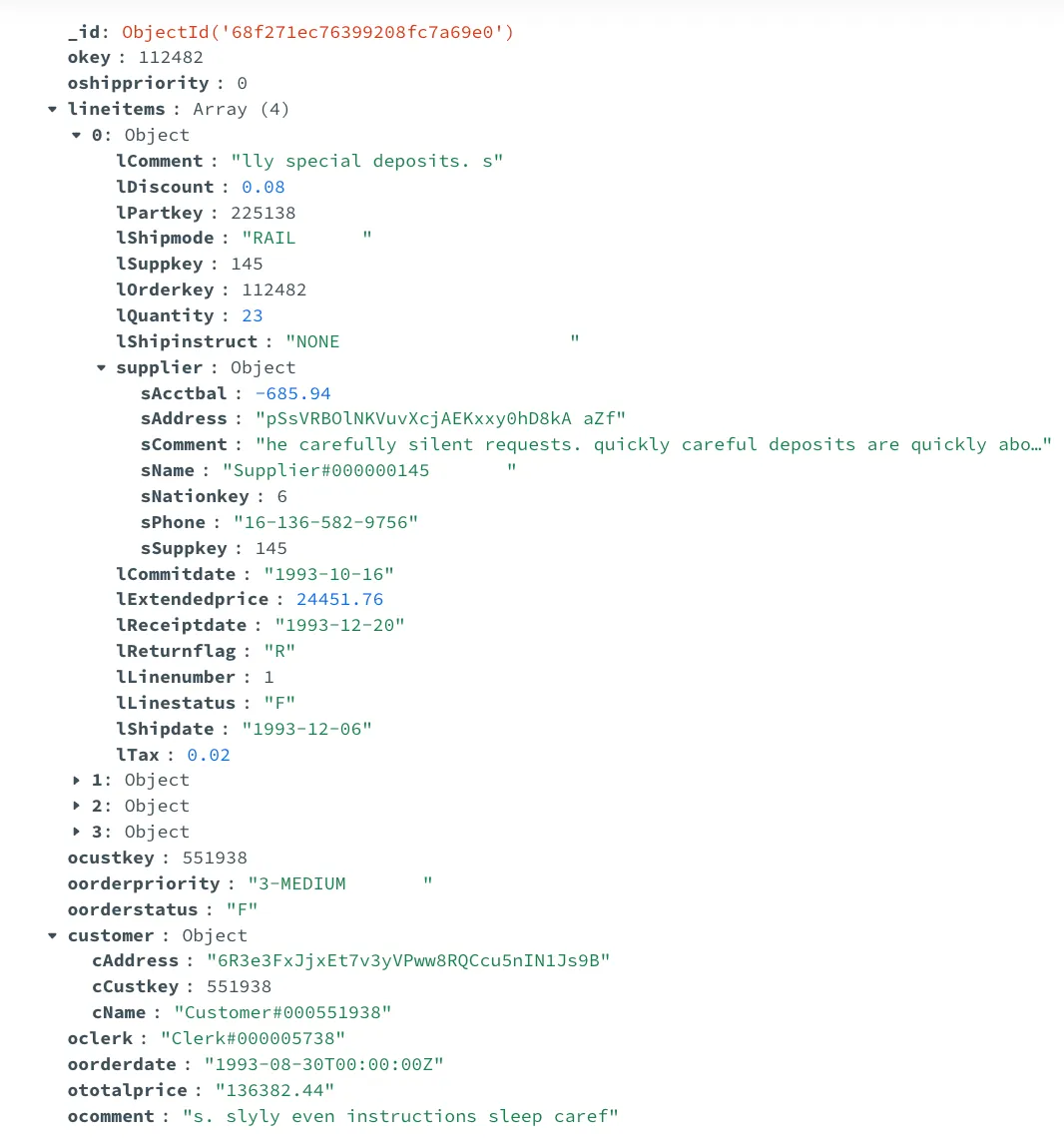
Target order document in MongoDB
Performance analysis
Test Setup:
-
Source: PostgreSQL (4 CPU, 34 GB RAM, AlloyDB on GCP)
-
Destination: MongoDB v8 Replica Set (4 CPU, 16 GB RAM)
-
Dsync VM: 4 CPU, 16 GB RAM and 8 CPU, 32 GB RAM
Results:
-
Initial sync with Dsync completes in 40 minutes or less, using 20–25% of source PostgreSQL CPU (takes 20 minutes with 8 CPU Dsync VM, using 60% of source CPU).
-
For production, we recommend using a read replica or running migrations during off-hours.
-
Relational Migrator took 6–8 hours and failed with a connection error at the very end in our runs, despite the source being available and operational.
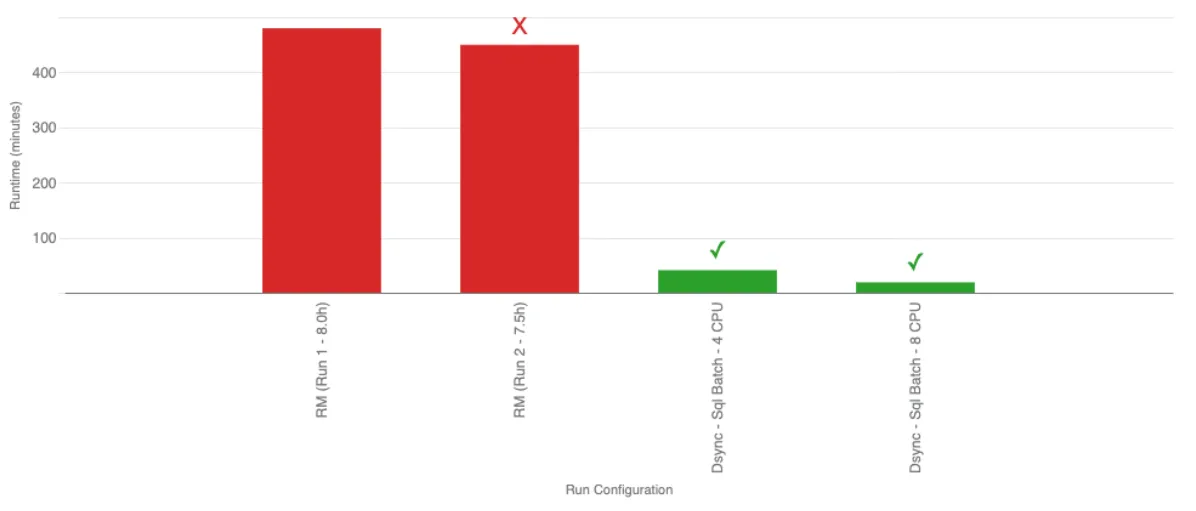
Comparison of run times and status
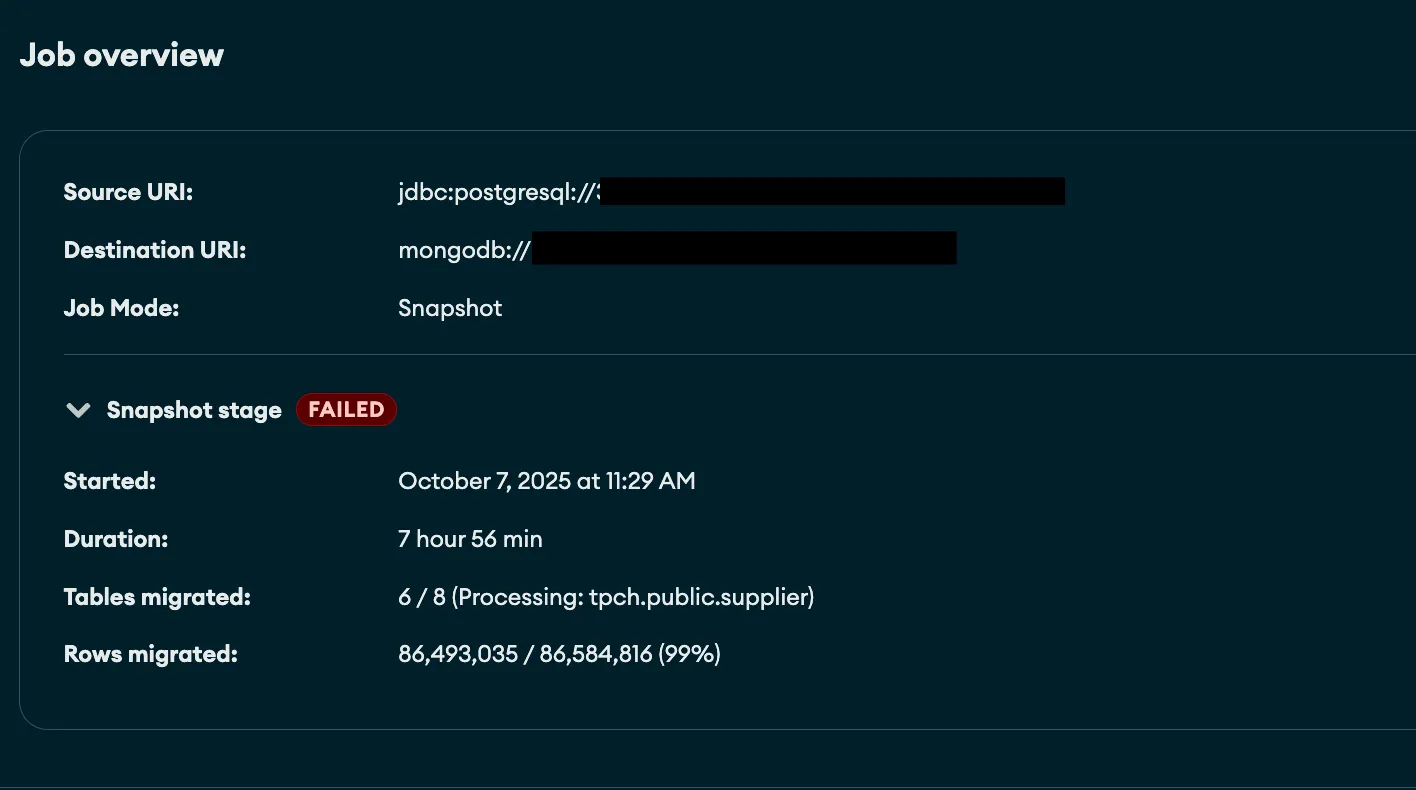
MongoDB Relational Migrator Error
Dsync proved to be 10–20x faster and more reliable than MongoDB Relational Migrator. Despite our initial concerns about running aggregations on the source, this approach has proven to have a manageable impact and offers high flexibility - especially when used with a transformer. It is also more performant than alternatives like constructing final objects on the destination and more practical than building a streaming join engine. Additionally, it allows us to maintain the reliability and integrity standards of the Dsync platform.
Give it a try
The SQL batch connector is now available in Private Preview. Contact us to request access. In upcoming posts, we’ll cover CDC functionality for the SQL batch connector.