Cost-effective vector embeddings storage with AWS S3 Vectors
Alexander Komyagin2 min read
- mongodb
- sql
- vector
- s3
- replication
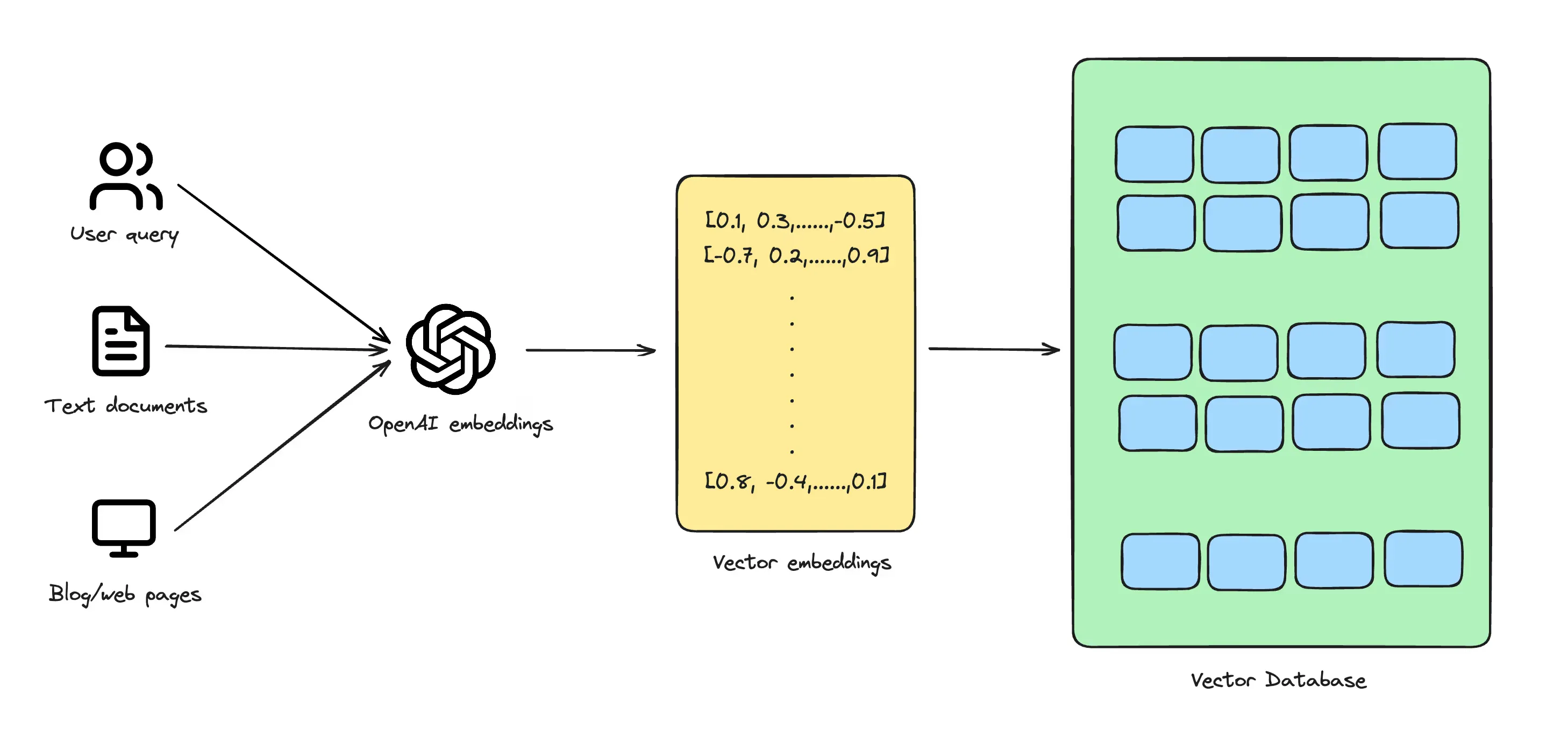
Vector pipeline (courtesy of Vercel)
Ever since vector stores and databases took the database market by storm in 2023-24, we ended up with a plethora of specialized vector databases such as Pinecone, Weaviate, Milvus, Qdrant. Many of OLTP databases quickly jumped on the train and added support for vector indexes - notably MongoDB and PostgreSQL - but the actual embeddings are still stored along with other operational data, competing for CPU, RAM and storage resources.
Since then it became apparent that the embeddings workload is significantly different from the regular OLTP. Vectors are stored en-masse, and most of them are accessed relatively infrequently or never at all. Storing that kind of data and serving it from your OLTP system is prohibitively expensive - it’s not enough to just build a great vector index, but the cost/performance ratio has to be good.
As the market is adapting, a new category of players and open formats has emerged - those based on object storage. Turbopuffer, LanceDB, and now native S3 Vector Indexes. We’re especially excited about the latter, as it dramatically simplifies the operational stack, and we hope that it will live up to the expectations.
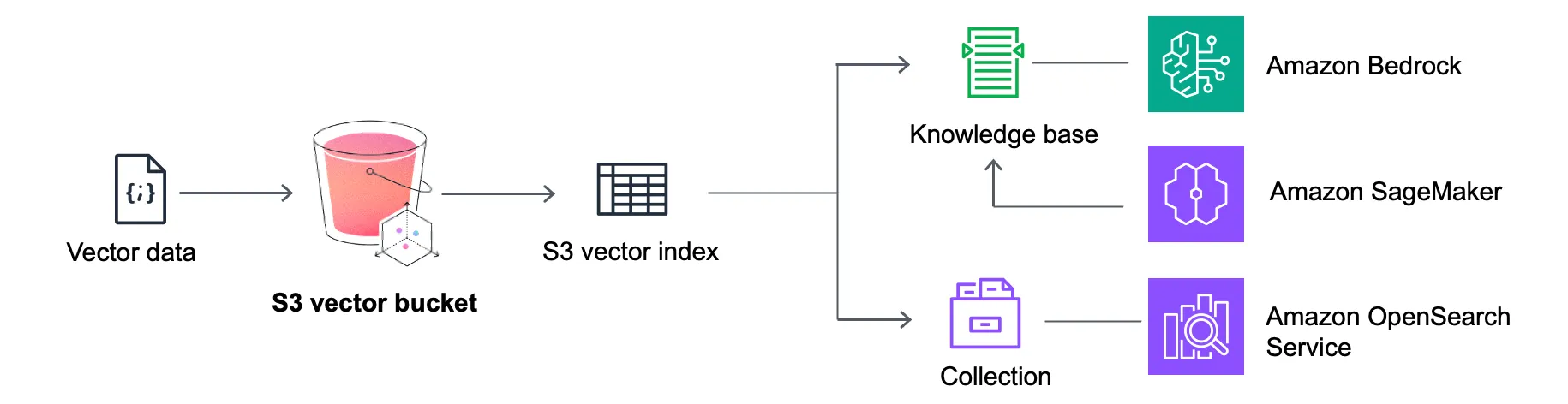
S3 Vector bucket
For users wanting to try it out and export their existing vectors away from pgVector and other solutions, Dsync now supports S3 Vectors as a destination. The feature is currently in “Public Preview”. Please feel free to share your feedback, ideas, and requests for help via our Contact Form or our Discord Channel.
Dsync is the most effective and seamless solution for data mobility between different databases and data stores (check out the full list of supported connectors in the Dsync docs!). To use Dsync to migrate your vectors from pgVector to S3 Vectors, you need to create a new vector bucket and then a new vector index:
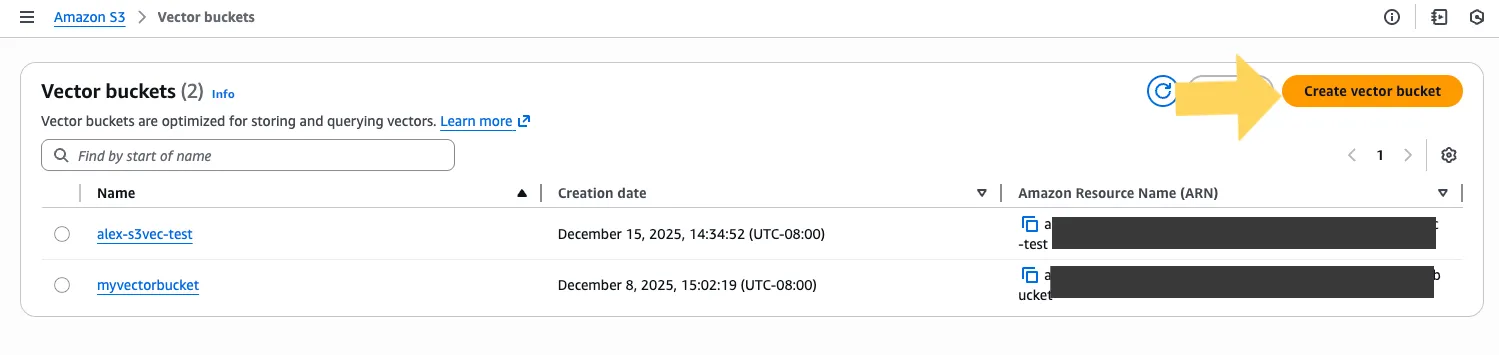
Creating a new S3 vector bucket
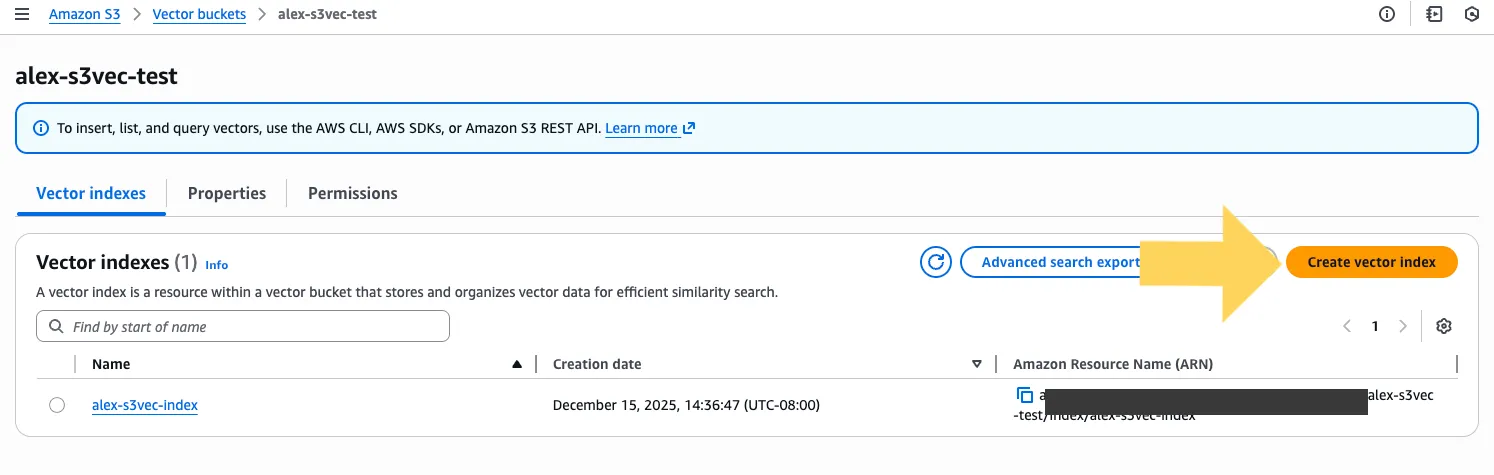
Creating a new S3 vector index
Make sure to set the same number of dimensions as in your source embeddings. In my test setup, I have 3-dimensional vectors in the “embedding” column of the “public.items” table:
zsh% psql postgresql://XX:YY@localhost:5432

postgres=# select * from items;

 id | embedding

----+-----------

  1 | [1,2,3]

  2 | [4,5,6]

(2 rows)
Once the vector index is set up, migrating the embeddings to your new S3 Vector Index with Dsync is as easy as a single command, provided you already logged into AWS in your CLI via “aws sso login”, and downloaded and built Dsync from our repo:
./dsync --mode=InitialSync --ns "public.items:alex-s3vec-index" postgresql://XX:YY@localhost:5432 s3vector --bucket=alex-s3vec-test --vector-key=embeddingLastly, the AWS S3 Vectors is still a new feature, so please take a minute to go over the
limitations, especially the rate limits. The Dsync S3 Vectors connector supports “–rate-limit” and “–batch-size” options that you can adjust:
./dsync --mode=InitialSync --ns "public.items:alex-s3vec-index" postgresql://XX:YY@localhost:5432 s3vector --bucket=alex-s3vec-test --vector-key=embedding --rate-limit 3000 --batch-size 500Dsync can also retrieve live changes from the source database and update S3 vectors in real-time via CDC, rather than just doing a one-time sync (skip the “–mode=InitialSync option”):
./dsync --ns "public.items:alex-s3vec-index" postgresql://XX:YY@localhost:5432 s3vector --bucket=alex-s3vec-test --vector-key=embeddingHappy migrating!